

In our efforts to continuously improve our Spa & Salon Management system, we’re pleased to announce the following enhancements that have been implemented:
Improved POS Design
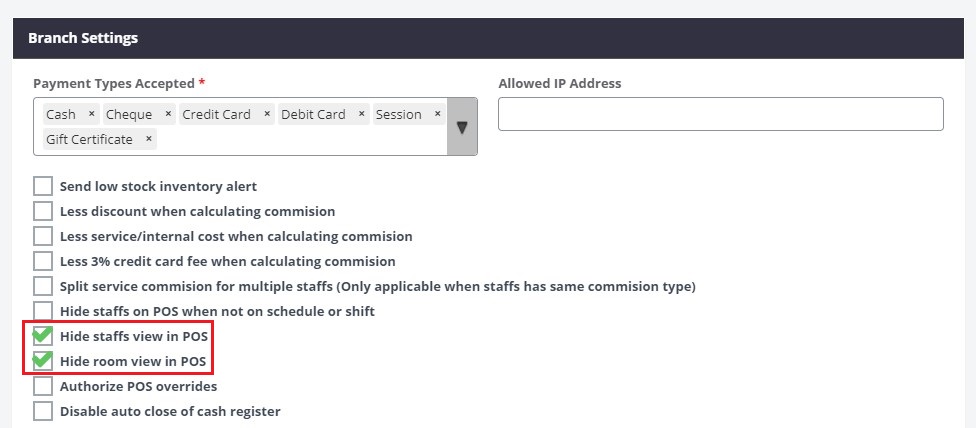
A. Room View and Room Selection option and Staff View can now be hidden
1. Select Settings > Branches
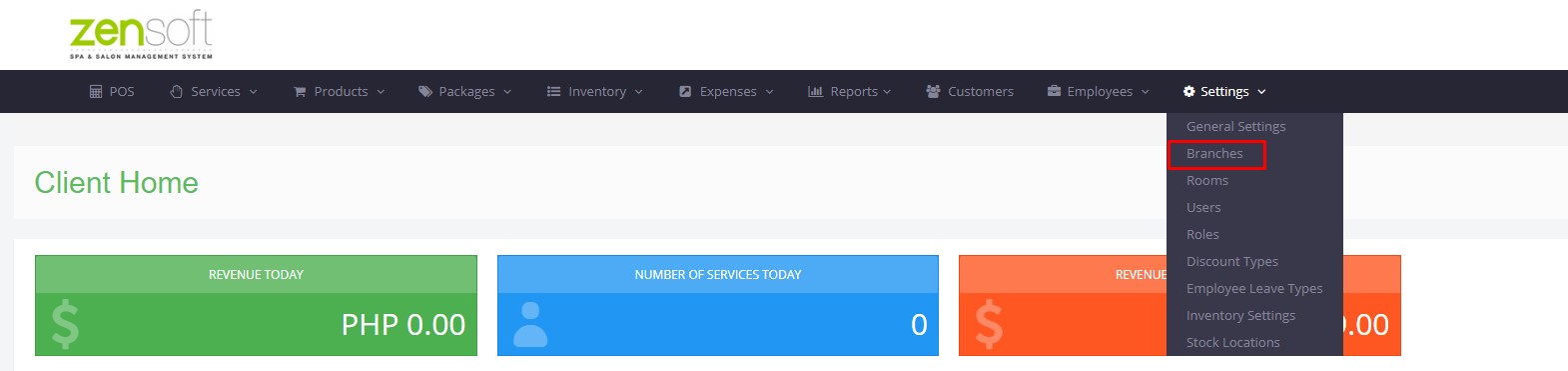
3. Click on Edit (pen icon)

4. Check/Uncheck box for Hide staff/room view in POS
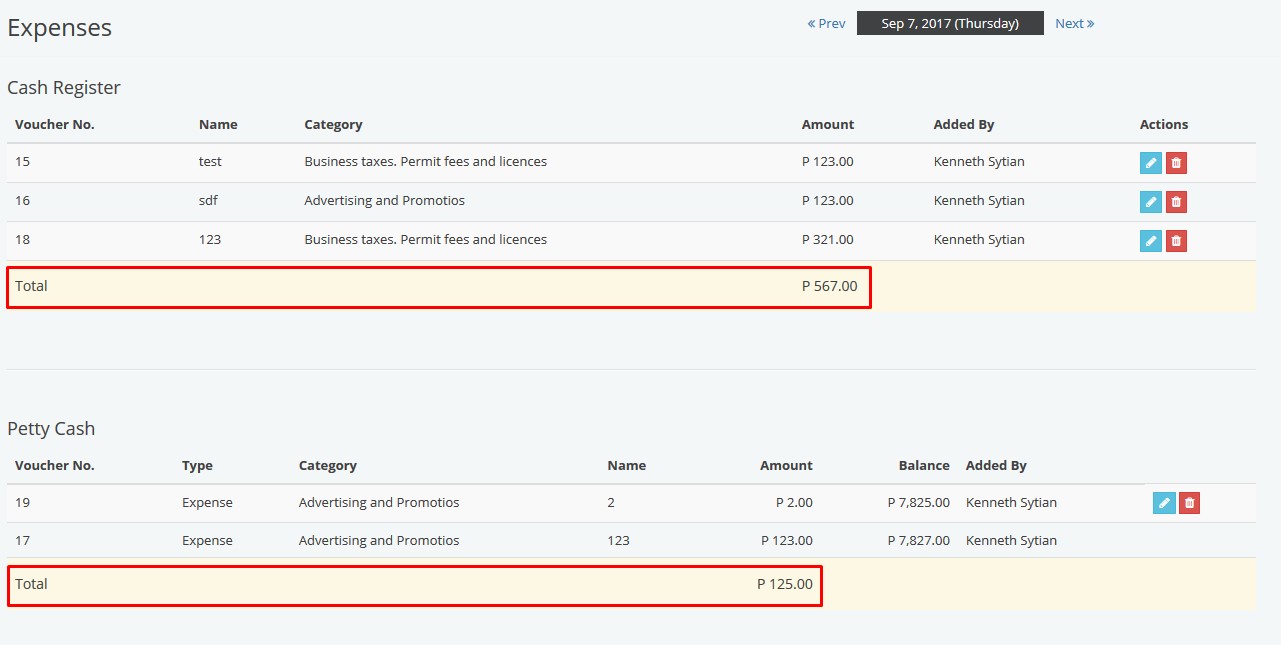
B. Total of petty cash expenses are now displayed
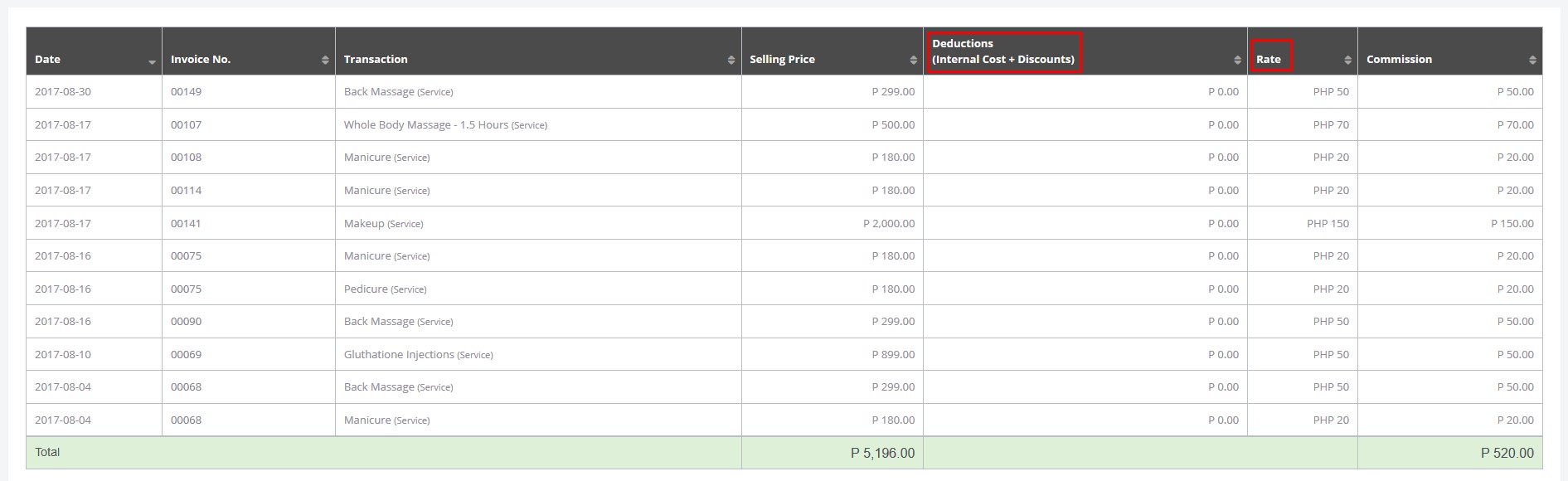
New Reports
A. More detailed commission report (deductions and commission rate now included)
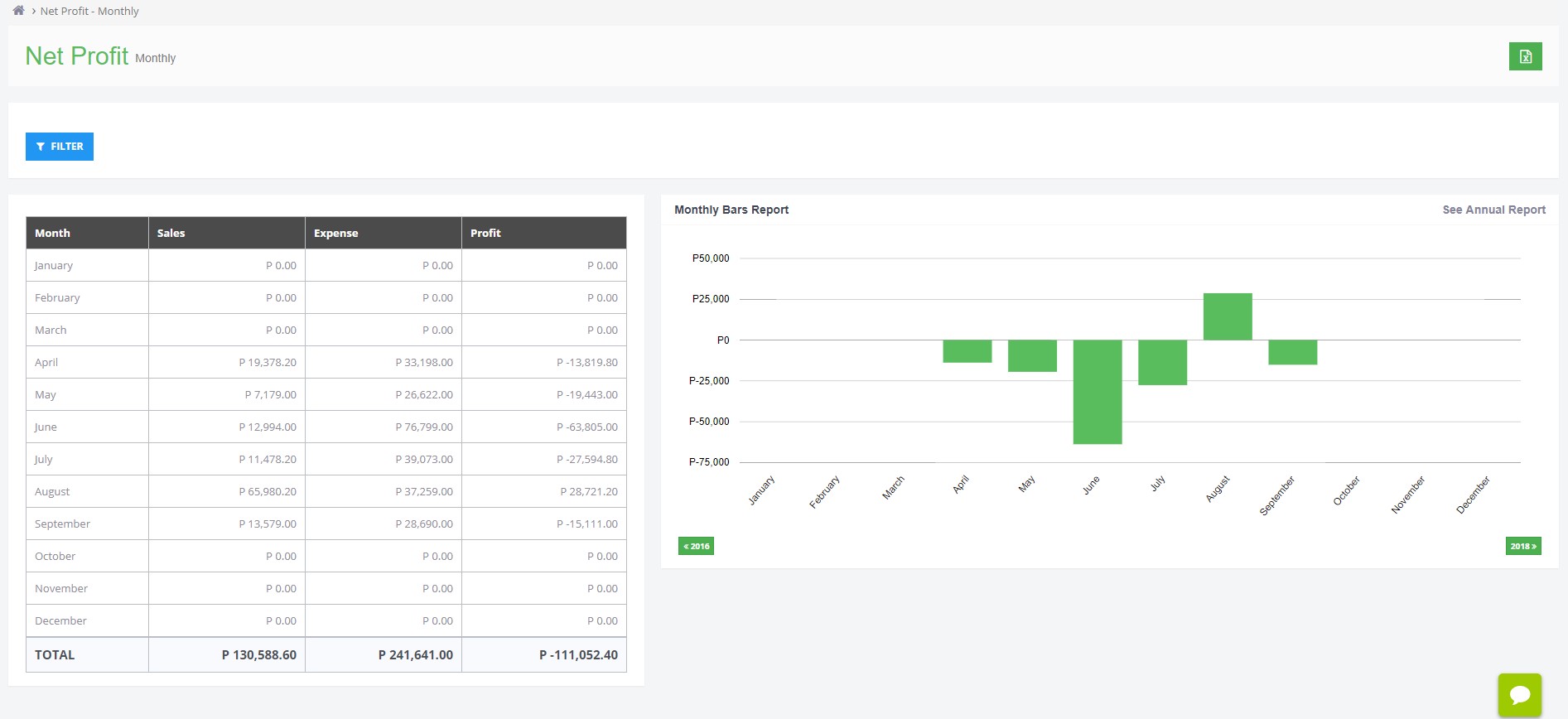
B. Monthly Net Profit Report
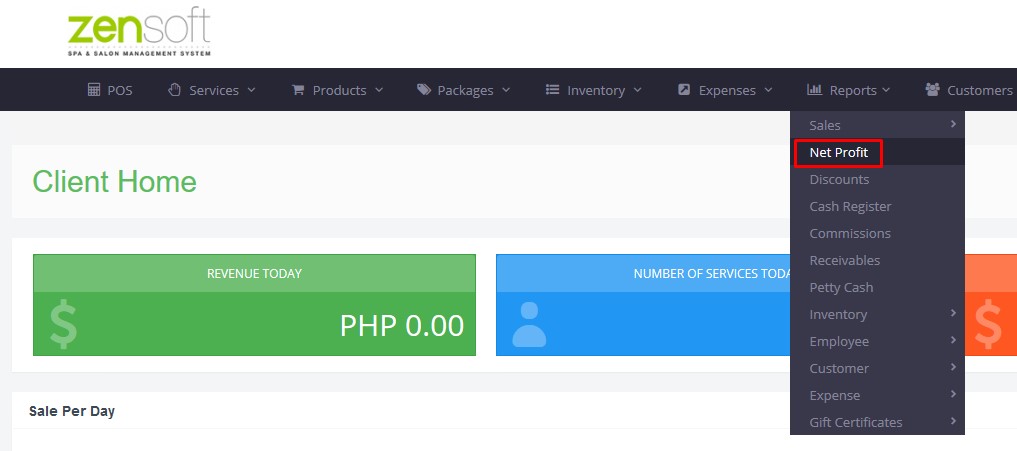
1. Select Reports > Net Profit
2. Monthly Net Profit report will now be displayed
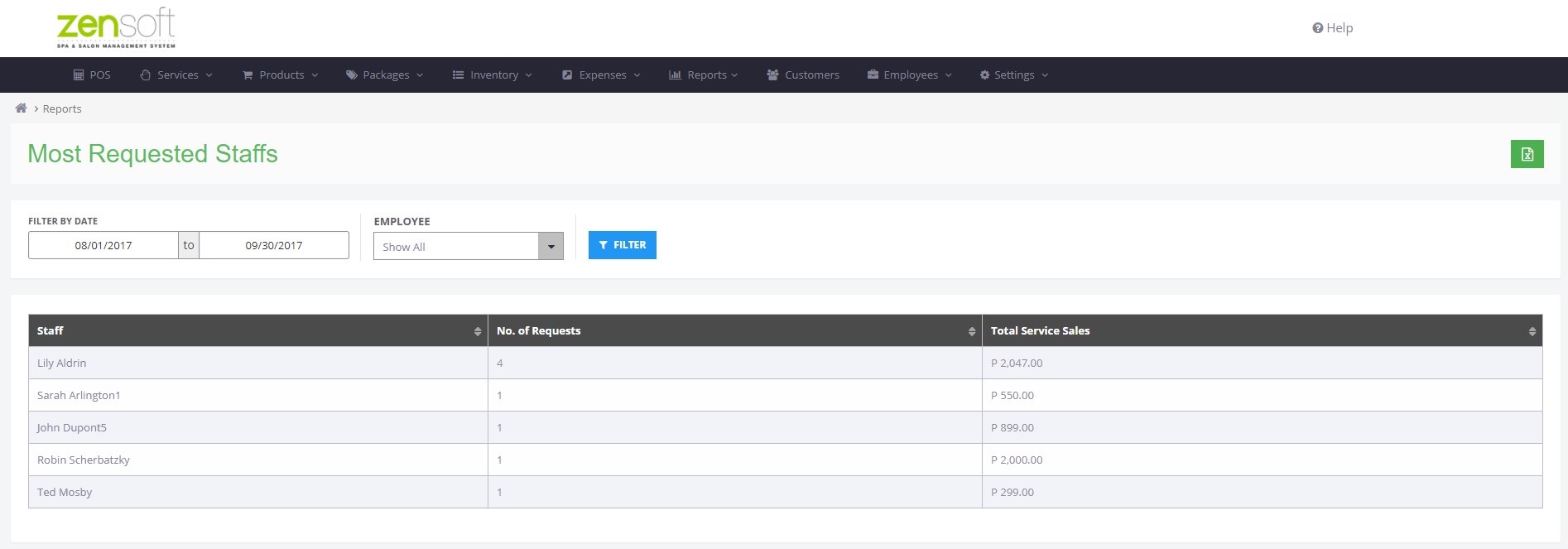
C. Most Requested Staff Report
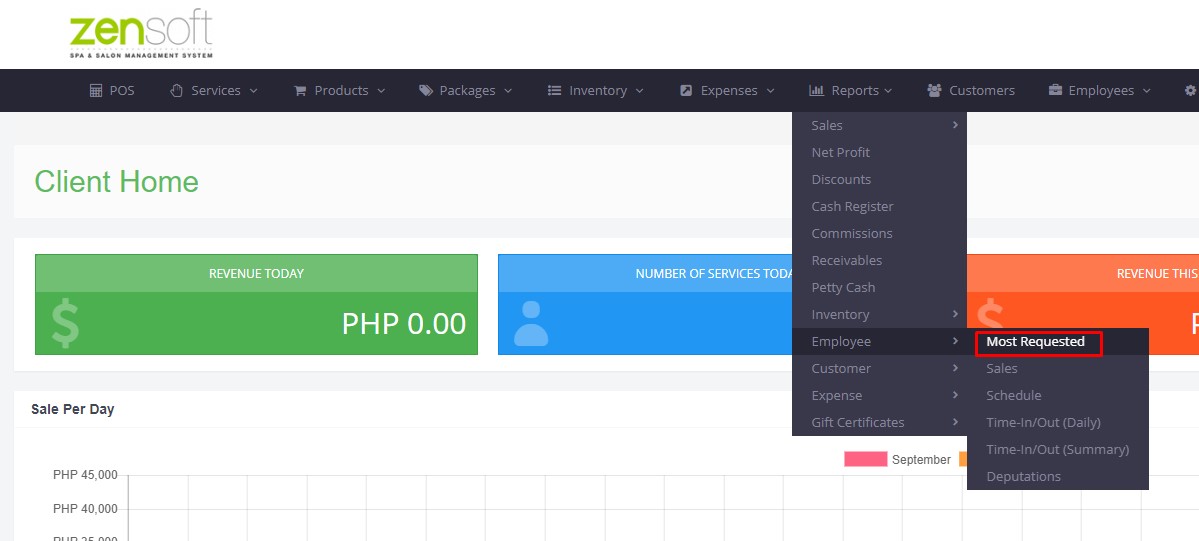
1. Select Reports > Employee > Most Requested
2. Select Start Date and End Date then click on Filter
Should you have other concerns or require further assistance, please feel free to let us know.