

Back to the Support Center
As a security measure, you may set that before receptionists could edit or delete completed transactions, you need to type an admin password first. This prevents the receptionist or front-desk personnel from manipulating the transactions.
The Password Authorization Form looks like this
To enable or disable this feature simply follow the steps below:
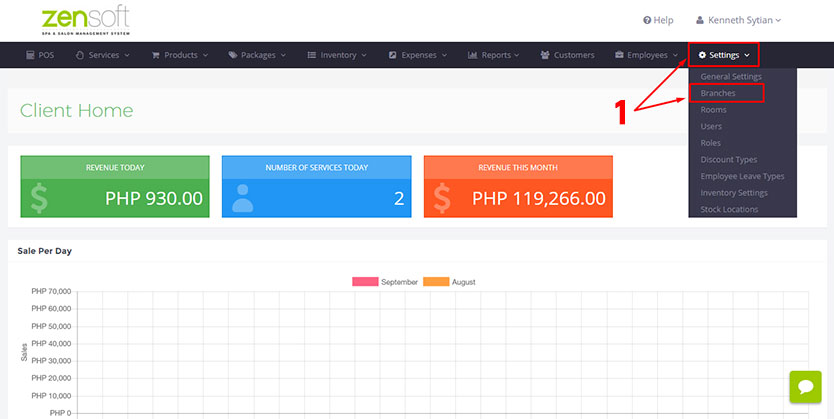
1.) From the Admin Dashboard go to SETTINGS and click BRANCHES.
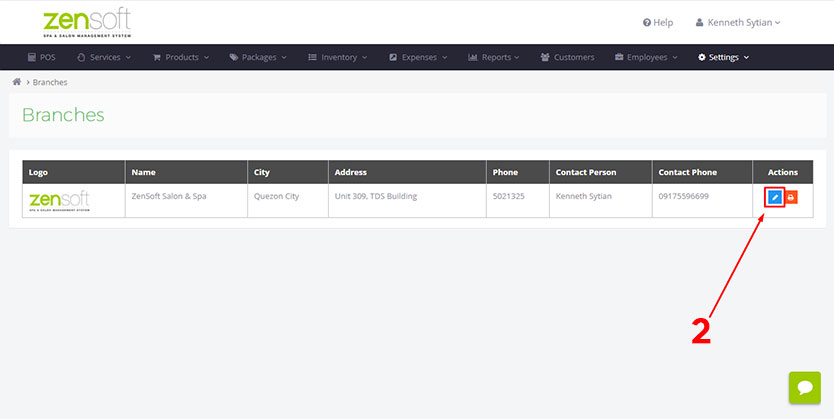 2.) Select the EDIT ICON of the branch you want to update.
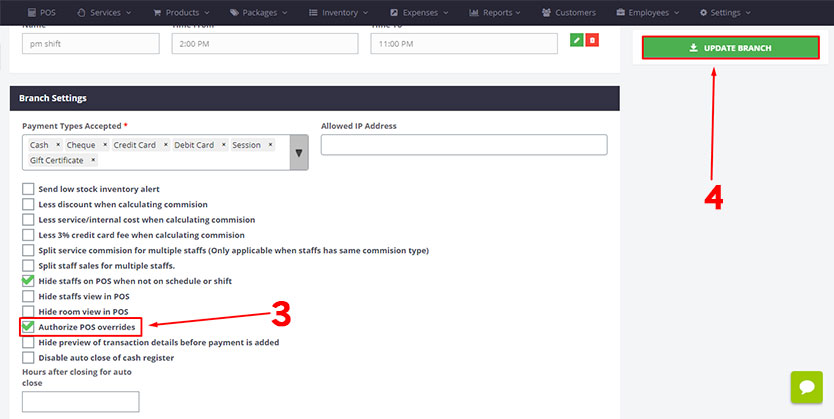
3.) Put a check mark on AUTHORIZE POS OVERRIDES to enable this feature. Leave the box blank if you want to disable this feature.
4.) Click the UPDATE BRANCH button