

Back to all articles
To continuously improve our Spa & Salon Management system, we have launched a new feature for our POS.
TIMECLOCK IMPROVEMENT
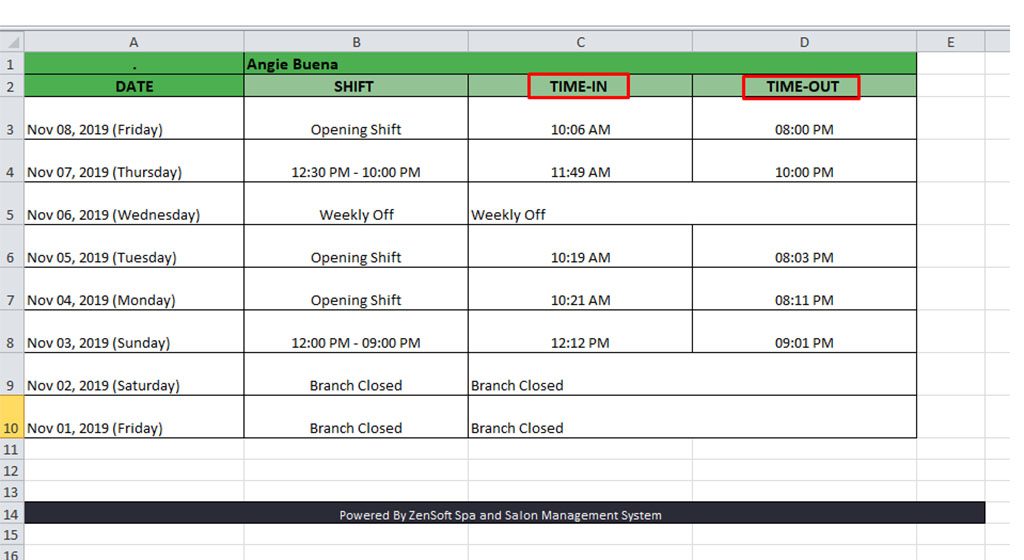
- Employees daily time-in/out are now separated when you export the file to excel
POS IMPROVEMENTS
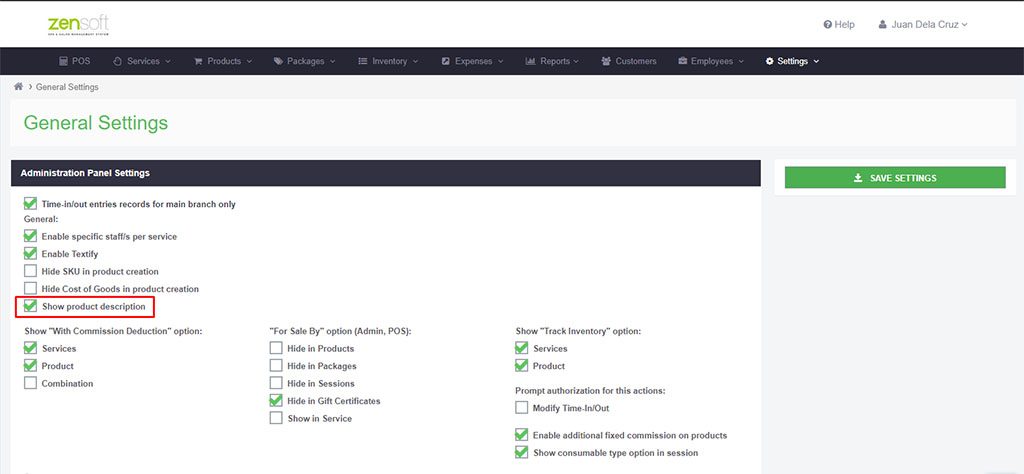
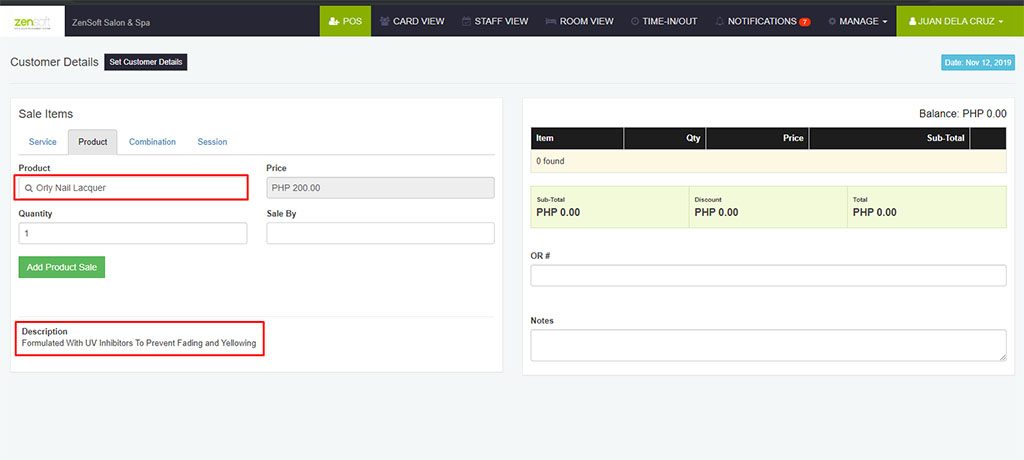
- You can now input a detailed description of your product that can be shown to desktop POS. This feature can be enabled by going to Settings > General Settings > check Show product description.
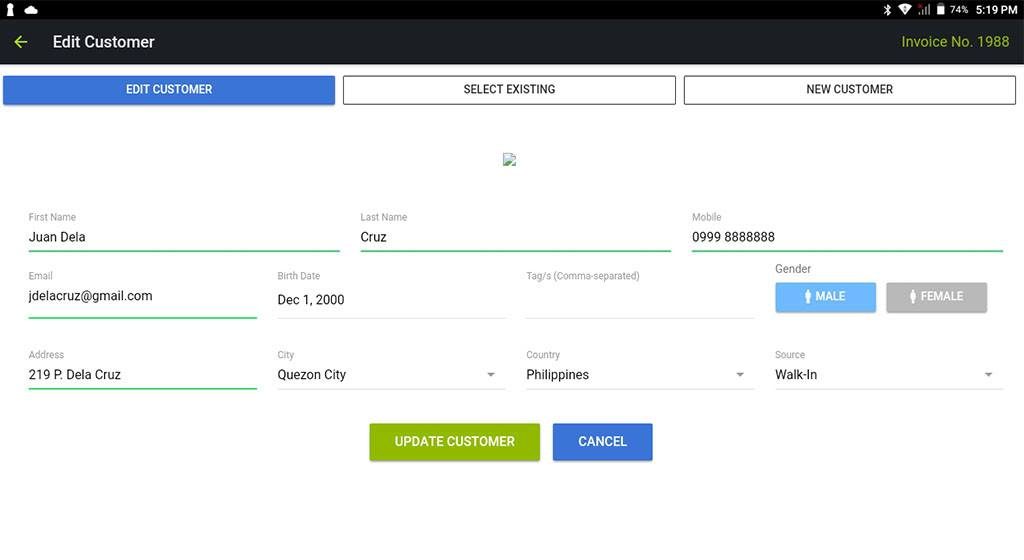
2. You can now input complete information of customers in Tablet POS
REPORTS
- The product used per day can now be filtered per employee.
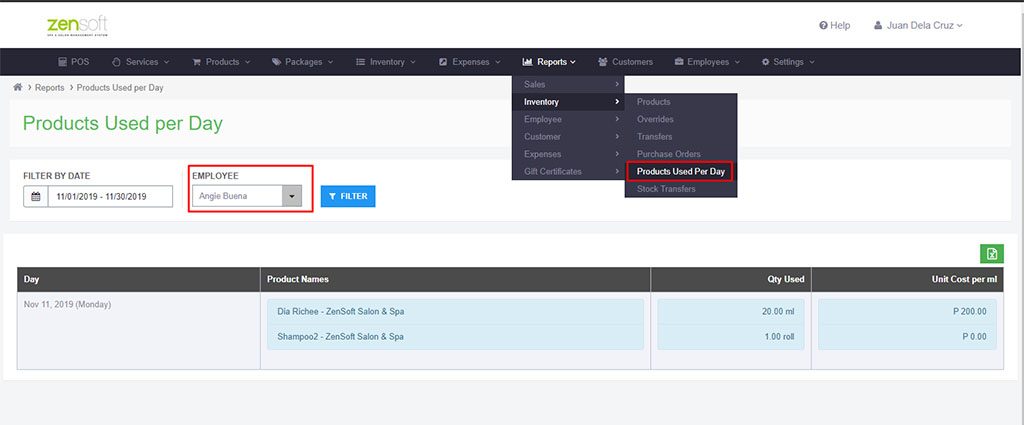
This report can be accessed by going to Reports > Inventory > Products Used Per Day.
If you need assistance with the setup or with viewing these new reports and features, you may get in touch with our customer support team directly.
You can reach our Customer Support Team through these numbers:
0917-5026507
0947-3881877
02-72197177
You may also email us at support@zensoft.ph.
Stay tuned for more updates!