

In our efforts to continuously improve our Spa & Salon Management system, we have launched a new set of updates for ZenSoft.
POS IMPROVEMENTS
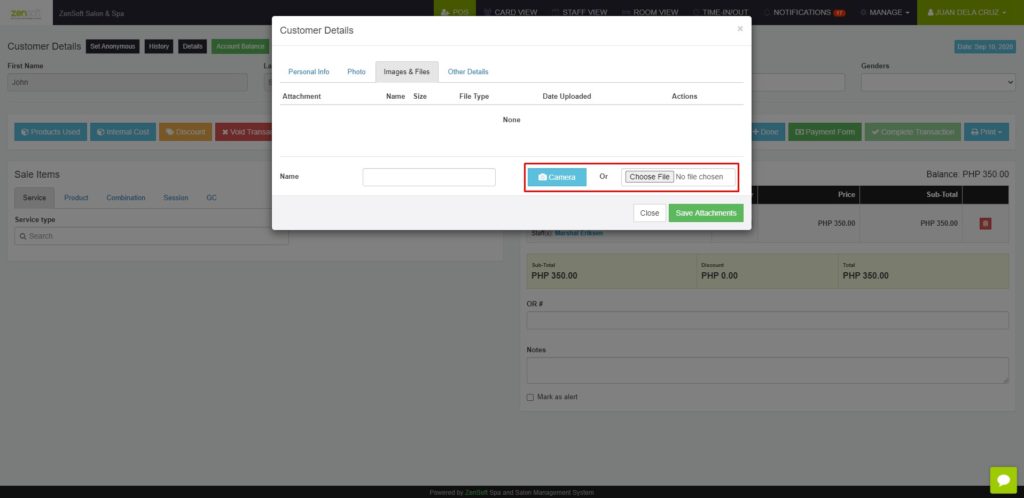
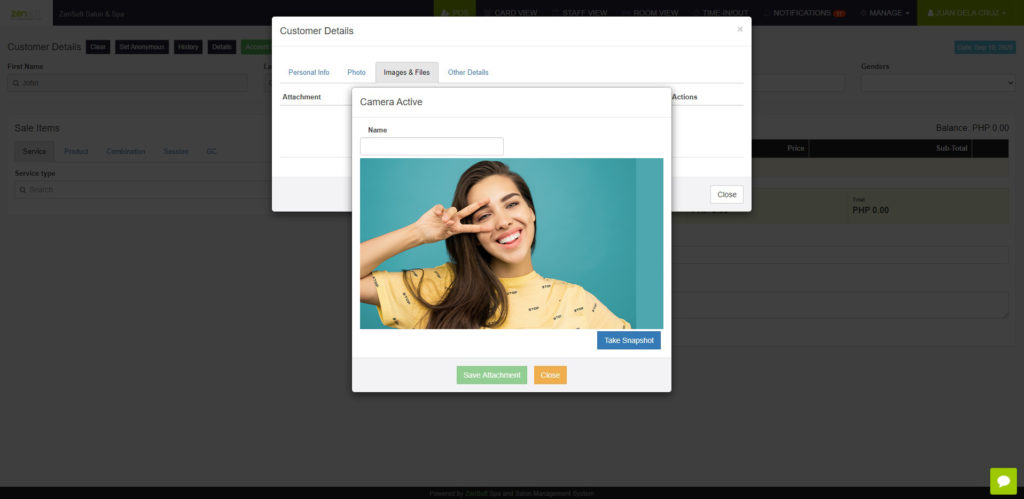
1.) Client Photo and Attachments in POS – You can now take a photo of your customer using your webcam and upload it to their profile in ZenSoft. You may also attach an existing photo or files of them from your computer to the system. This can help you verify the identity of customer easily and have their records included within ZenSoft’s server. This is available for desktop POS users.
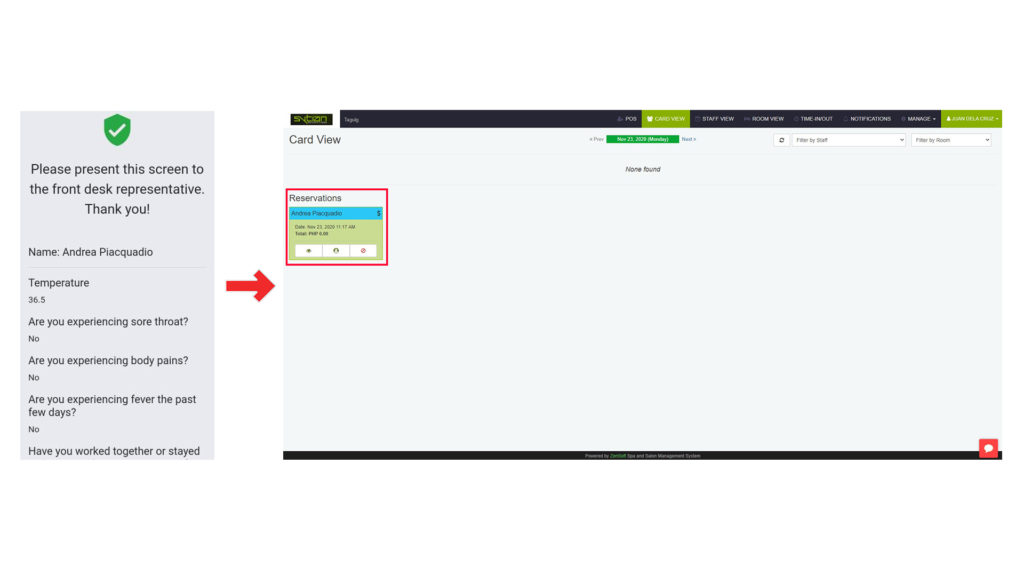
2.) Client Details On Covid Screening Form Automatically Transferred to Card View – Now, ZenSoft automatically transfers the details of the client that filled out the Covid Screening Form via QR code or directly from the URL to card view to provide faster and more efficient workflow for our front desk officers. The details will be transferred automatically to POS if the client has no questionable symptoms according to their response to the screening form.
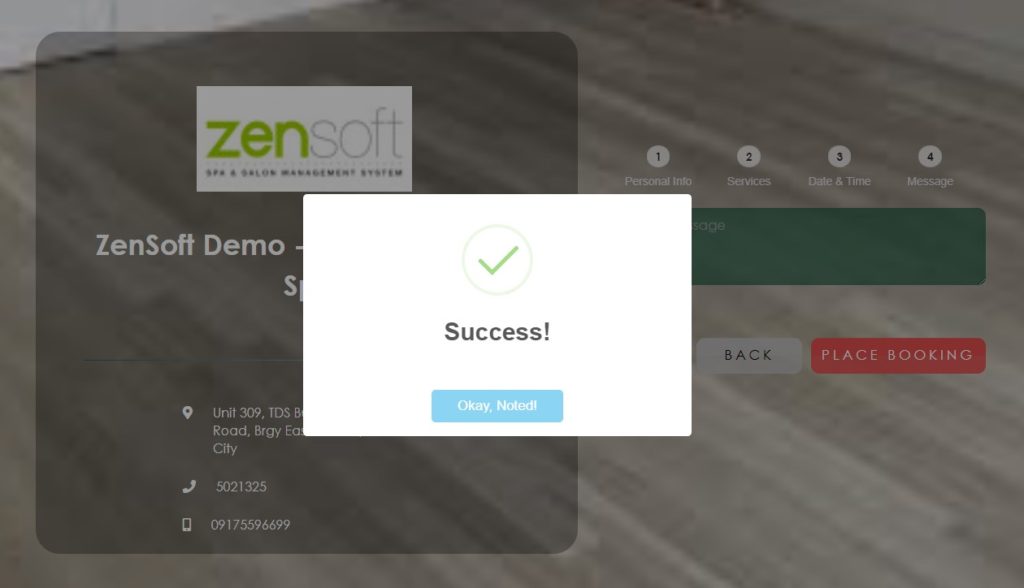
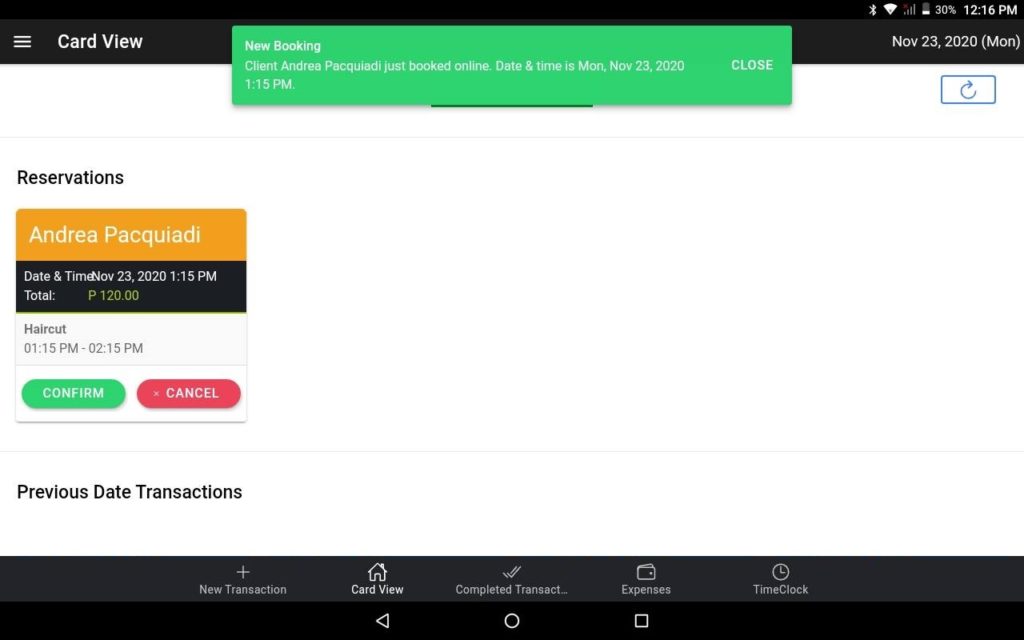
 3.) Online Booking for Tablet POS – ZenSoft finally has the online booking feature included in our tablet POS. Tablet POS users can now manage online bookings easily as once a client fills up the online booking form, it will automatically be recorded in Card View. However, please note that this requires Wi-Fi or data connection to work.
NEW INVENTORY REPORTS
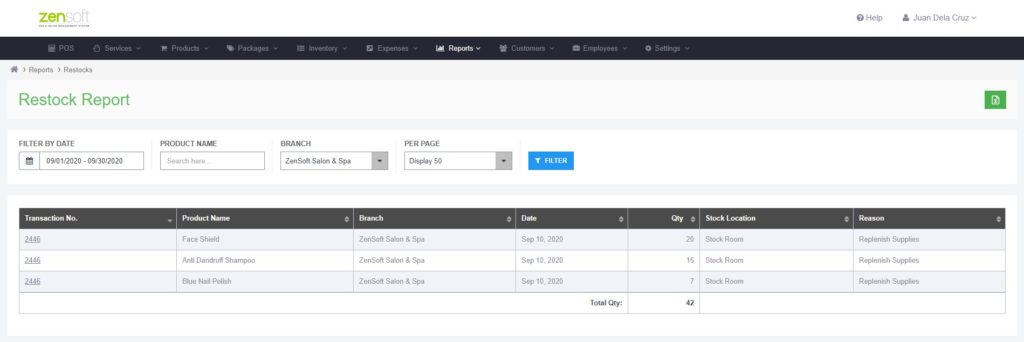
1.) Restock Report – ZenSoft now has a report which shows you history of all inventory restocks for proper tracking of all replenishments of your supplies.
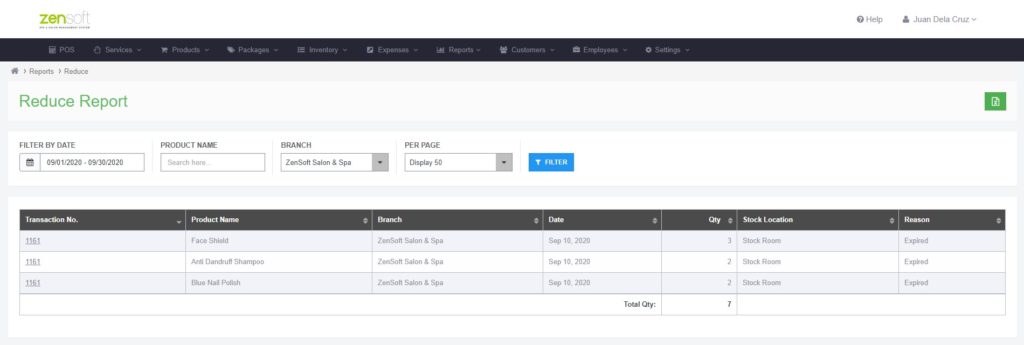
2.) Reduce Report – We also have a report which shows you history of all reduce transactions to make sure all deducted or pulled out products are properly accounted for.
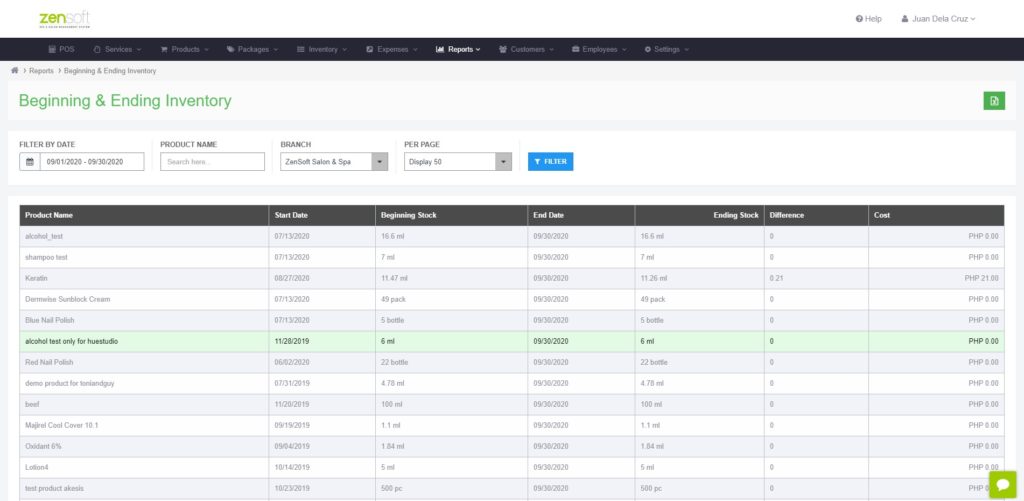
3.) Beginning and Ending Inventory Report – ZenSoft now has a report which can show you the beginning and ending inventory of a specific product on a specific timeframe. It will show you the stock count of the beginning date that you select and the stock count of the end time to show you if there was movement or difference in your inventory.
If you need assistance regarding the said improvements, our Customer Support team will be happy to help.
You may reach our Customer Support Team through these numbers:
0908-812-7931
0908-812-7934
0908-812-7935
0908-812-7936
0908-812-7937
You may also send an email to support@zensoft.ph.
Stay tuned for more updates!