

“We are excited to announce that we have recently launched new features, further enhancing our system’s performance and usability.”
THE TAGS COLUMN UNDER THE CUSTOMER MODULE
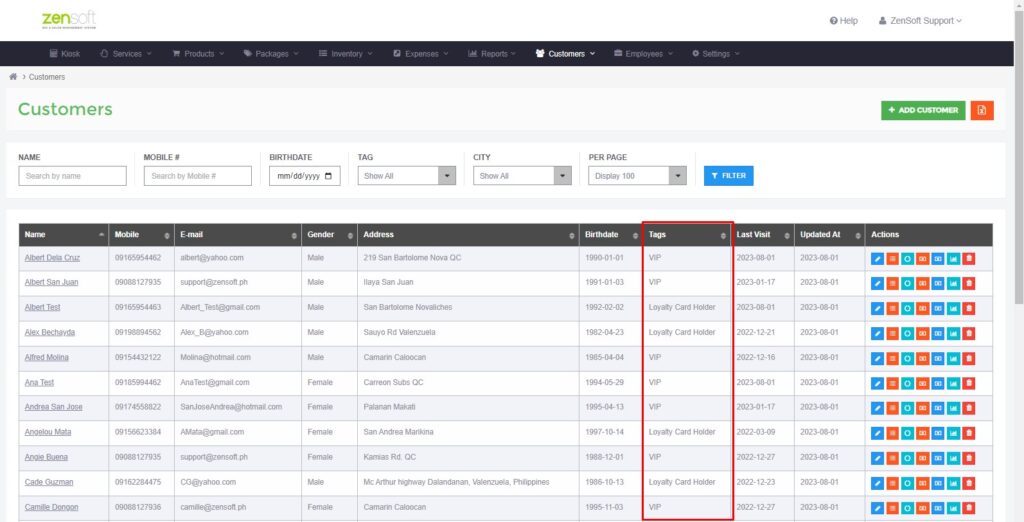
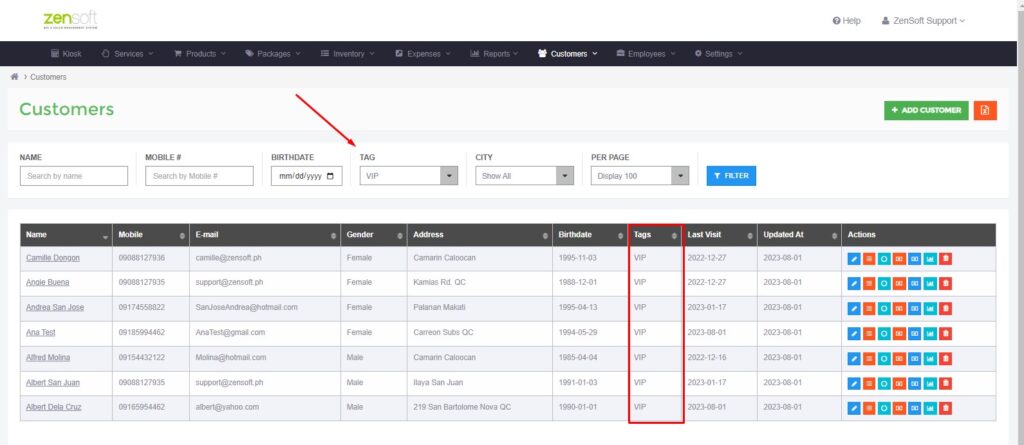
You can now find the customer tag column, which allows you to easily categorized your customers based on different tags. To access this functionality, simply go to the ‘Customer’ tab and select ‘All Customers’. From there, you’ll be able to filter and manage customer tags with ease. This enhancement will provide you with better organization and more streamlined customer management.
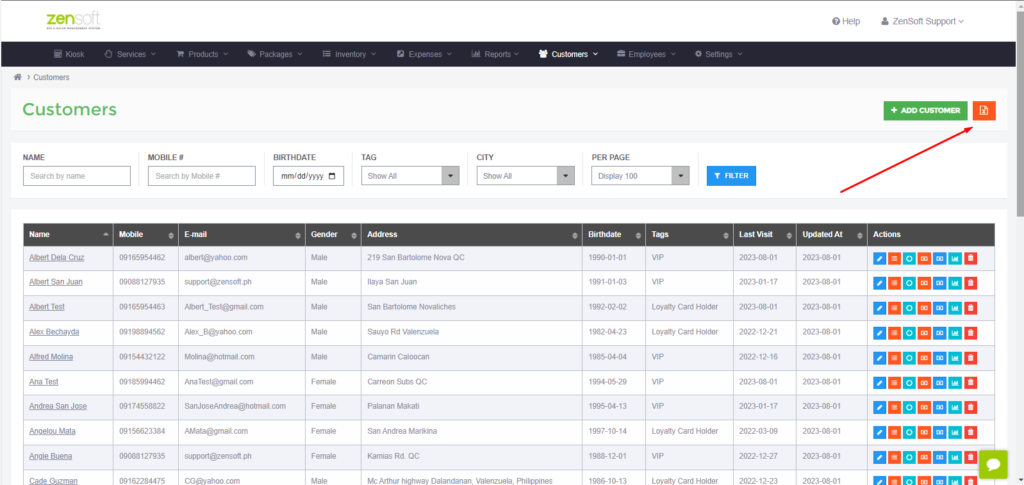
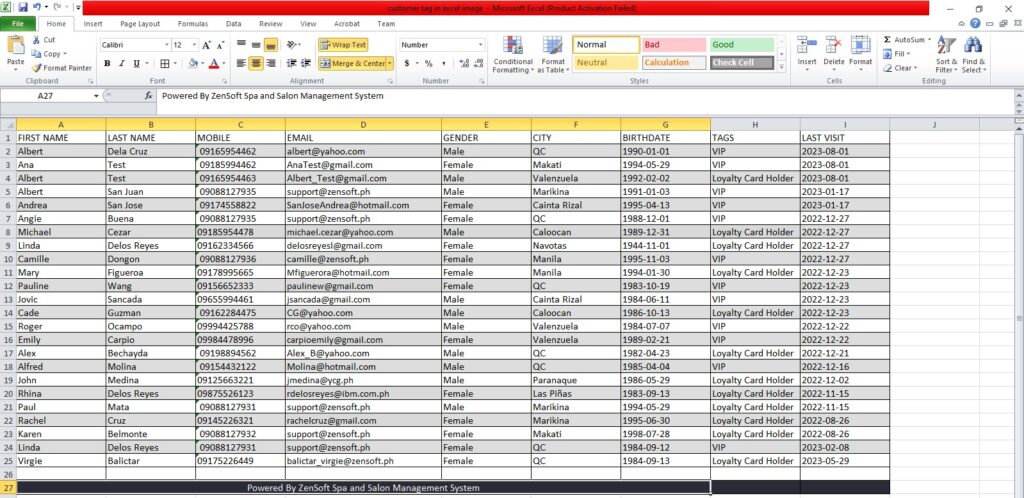
We’ve also made it possible for you to export these customer tags along with their associated information into an Excel file by clicking the Excel icon at the upper right. This export functionality allows you to analyze, share and manipulate the data as per your needs. It’s a powerful tool for data management and reporting.
REMARKS ON THE TIME CLOCK
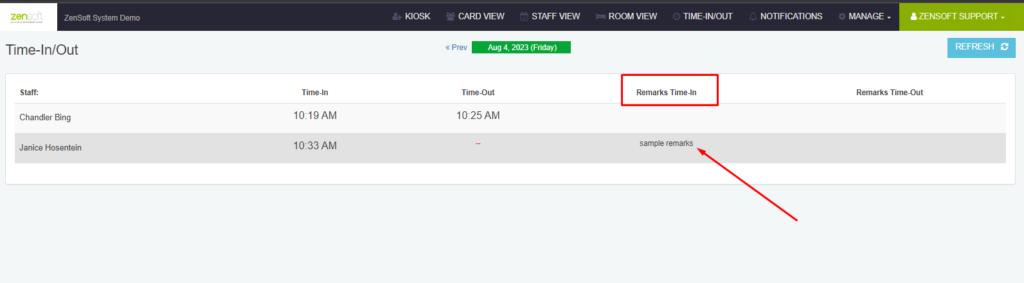
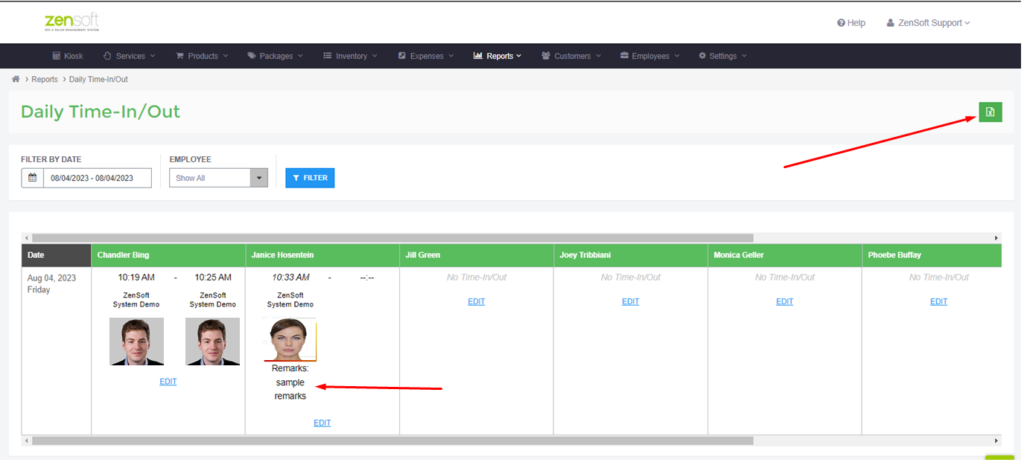
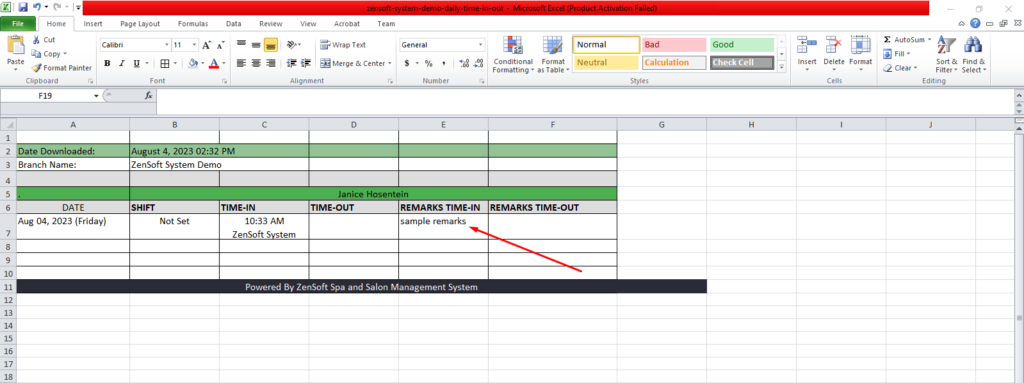
The time clock remarks are now visible on the employee time clock report under Reports> Employee> TimeClock (Daily). You can also export it as an Excel file by clicking on the Excel icon at the top right.
You can contact our Customer Support team if you need assistance with these improvements.
Please feel free to contact our Customer Support Team at the following numbers:
0908-812-7931
0908-812-7935
0908-812-7936
0908-812-7937
You may also send an email to support@zensoft.ph.
Stay tuned for more updates!