

You read it right. Another batch system updates!
We have implemented these new system enhancements:
DESKTOP POS IMPROVEMENT:
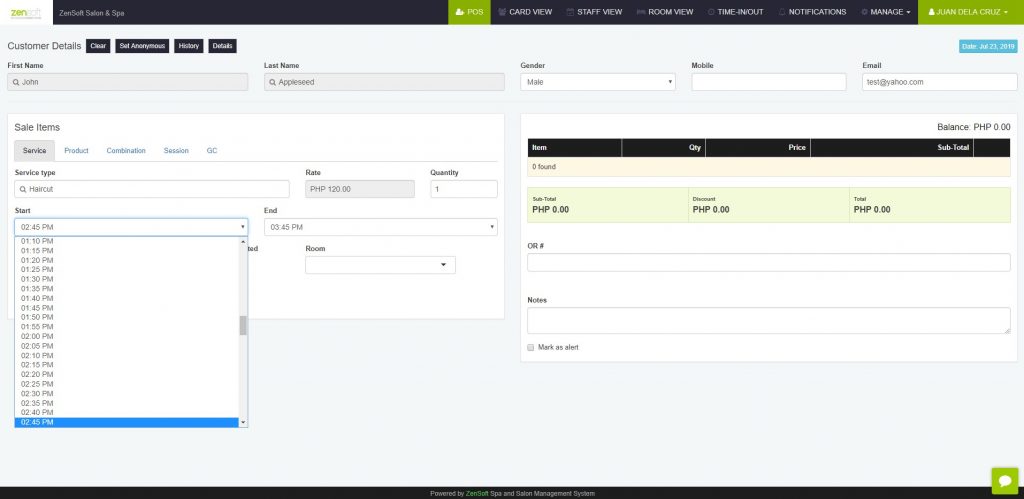
1.) START AND END TIME INTERVAL – The start time and end time interval for services have been updated to 5 minutes from the previous setting which was 15 minutes.
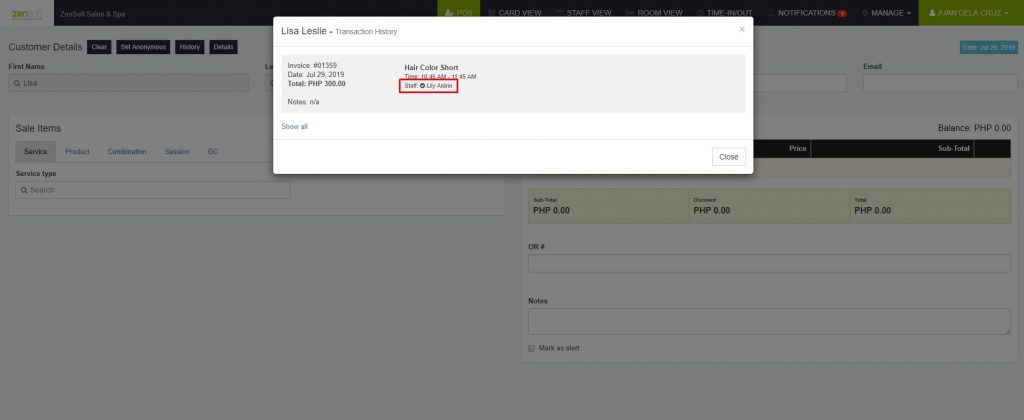
2.) SHOW REQUESTED STAFF IN CUSTOMER HISTORY – In our desktop POS, we now have an indicator if the staff in a customer’s previous transaction was requested. This will help our receptionist adjust to the client’s preference when coming in to the branch.
NEW SETTINGS
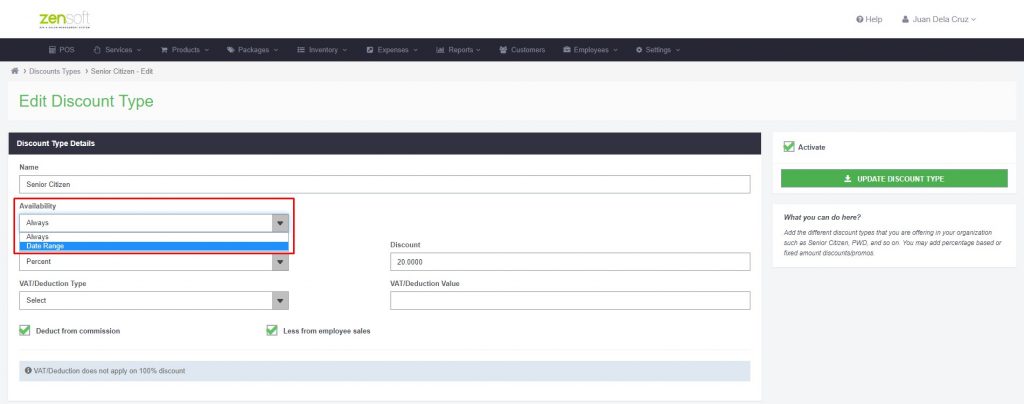
1.) DISCOUNT VALIDITY – You may now set a validity period for your discounts. This normally applies to markdown promos (50% off until….). You can set this by going to Settings > Discount Types.
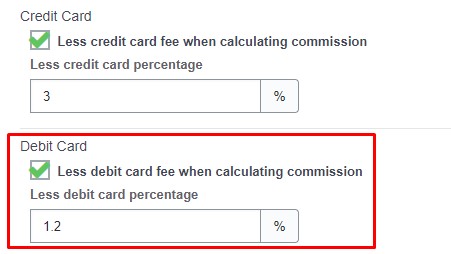
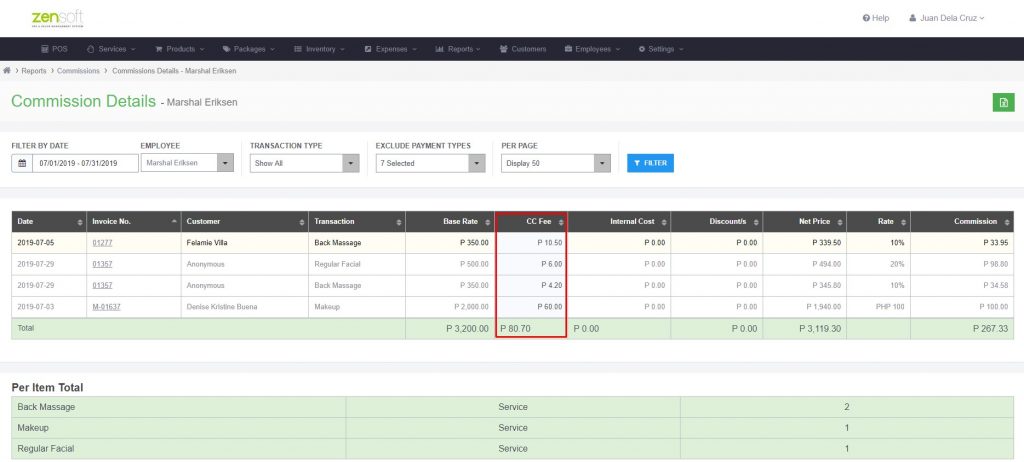
2.) LESS DEBIT CARD FEE FROM COMMISSION COMPUTATION – Before we have added a setting wherein you can deduct the credit card fee or bank charge when calculating commissions. Now we have added the same for debit card payments wherein you can also include debit card charges when computing for staff commissions. This can be accessed by going to Settings > Branches.
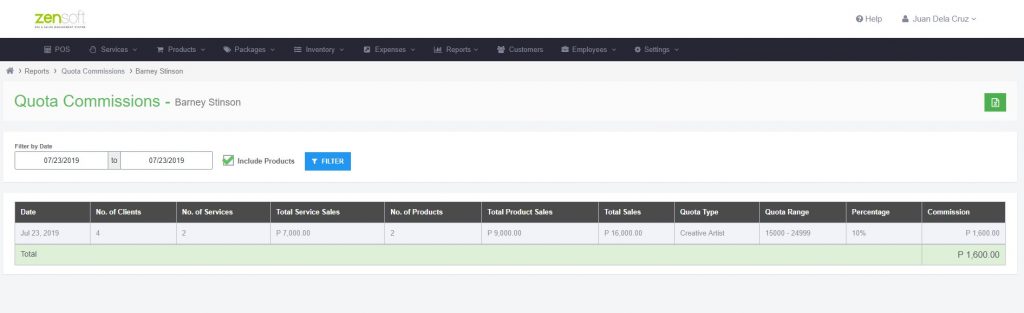
3.) PRODUCT SALES CAN BE INCLUDED IN STAFF QUOTA – You now have an option to include product sales when checking the quotas of your employees. You can see this option under Reports > Employees > Commission – Quota.
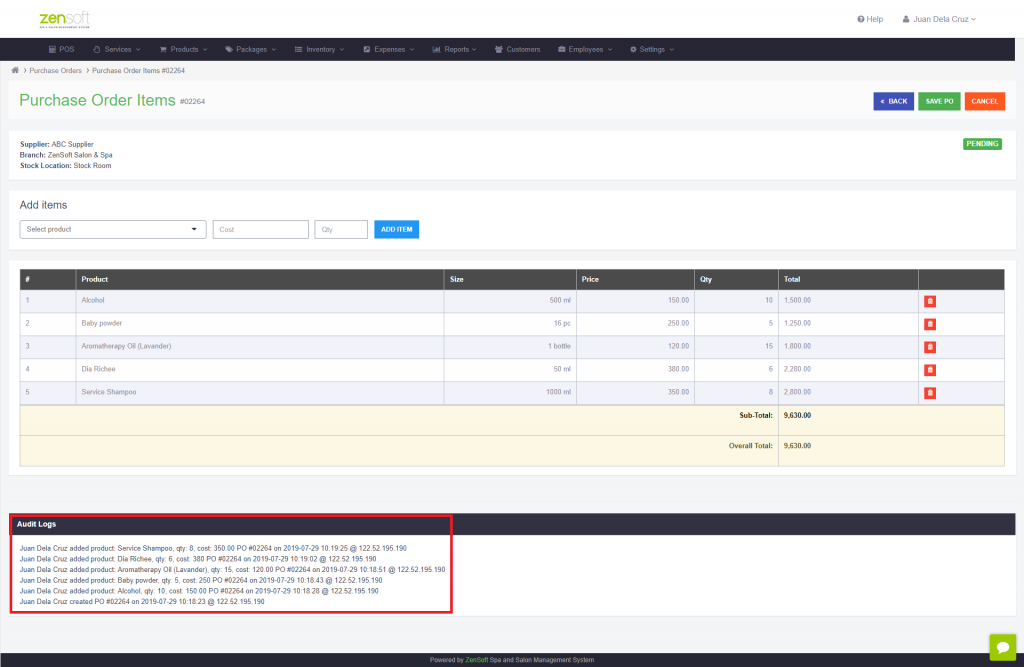
4.) PURCHASE ORDER AUDIT LOGS – We have added an audit log of all the activity when creating purchase orders with ZenSoft. This is to ensure every product in the purchase order is accounted for and it will be easier to trace if modifications were done.
NEW REPORT
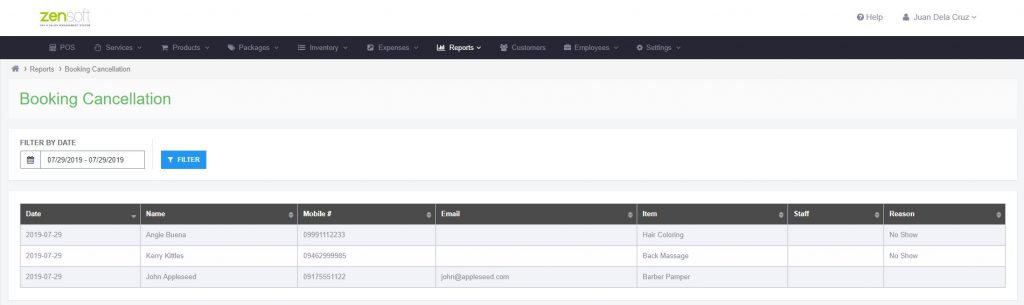
1.) BOOKING CANCELLATION REPORT – We now have a report where you can monitor all booking cancellations on a certain period. These are bookings that went through our Online Booking Page and have been cancelled either via the online booking module within POS or within Card View. You may access the report by going to Reports > Sales > Others > Booking Cancellation.
If you need assistance regarding the said updates, our Customer Support team will be happy to help so you may contact them for inquiries.
You may reach our Customer Support Team through these numbers:
09175026507
09171788435
09473881877
You may also send an email to support@zensoft.ph.
Stay tuned for more updates!