

The long wait is over!
We are pleased to announce that we have launched these updates for our ZenSoft POS tablet app.
INVENTORY FEATURE
You can now use our ZenSoft POS Tablet App to monitor your inventory for both retail and service transactions.
The system will automatically deduct stocks for every retail item sold and automatically deduct consumables from services provided.
In that way, you can use ZenSoft to counter-check your inventory with your manual audits.
Screenshots:
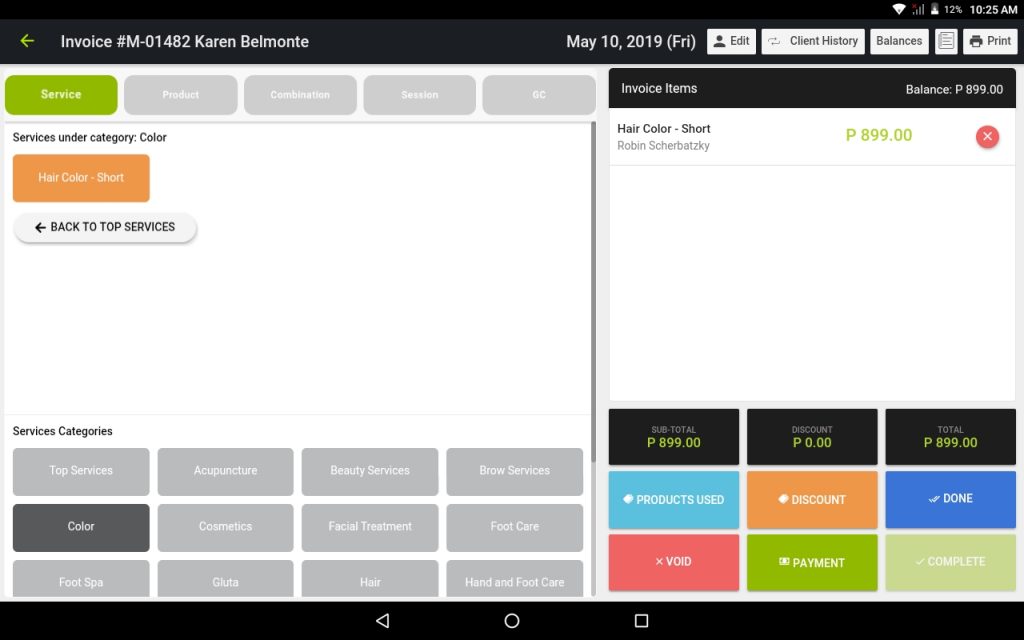
The “Products Used” button is available immediately right after you have added details to the transaction (customer details, service, staff assigned).
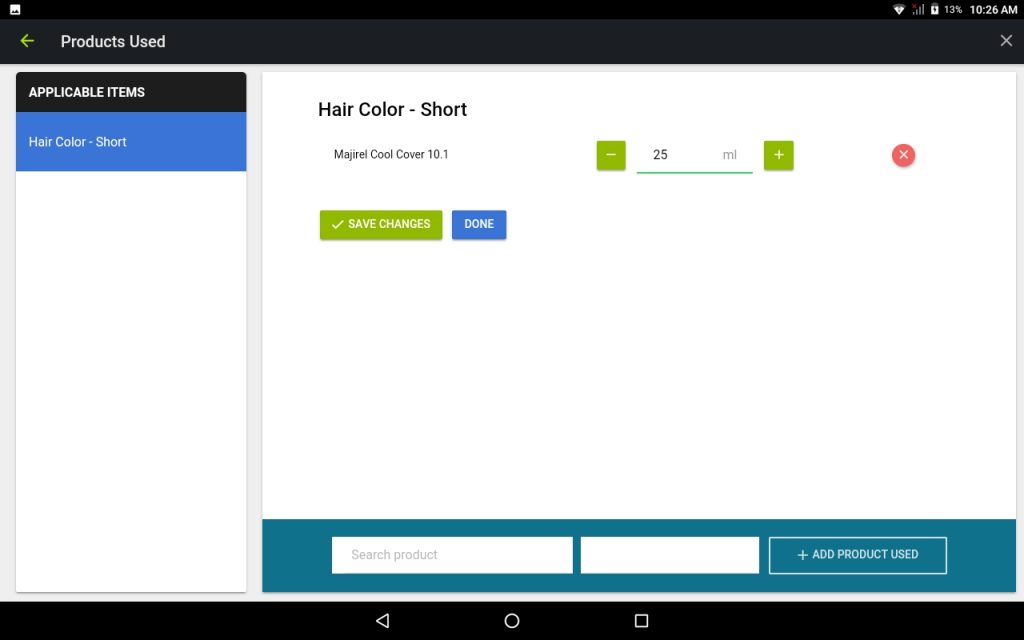
You can search for the consumable product to be added to the transaction and edit its consumption level.
ADDITIONAL PAYMENT METHODS
ZenSoft now offers more payment modes for your transactions.
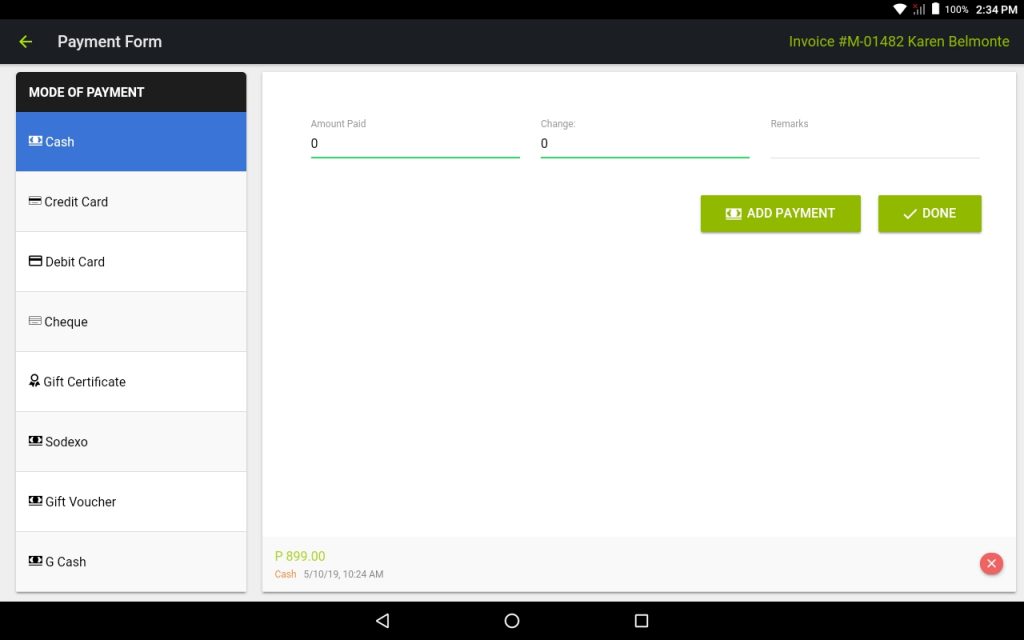
The additional payment modes can be setup through the settings of your admin panel.
Here’s how:
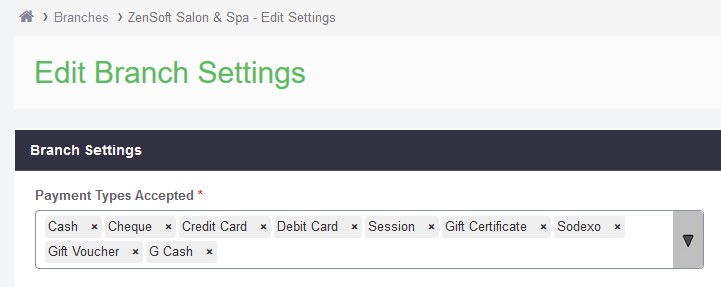
1.) Login to your ZenSoft account and go to Settings > Branches.
2.) Click on the Edit Settings button.
3.) Add or remote your preferred payment method under the “Payment Types Accepted” menu.
4.) Click on Update Branch Settings.
If you require assistance in setting up your consumable products, inventory and payment methods, you may contact our Customer Support team directly.
Stay tuned for more updates!