

ZENSOFT COMMISSIONS

Did you know that ZenSoft can compute for the commission of your employees?
Yes! With ZenSoft, you can assign commission settings on your staff’s service and product transactions and the system will compute it for you.
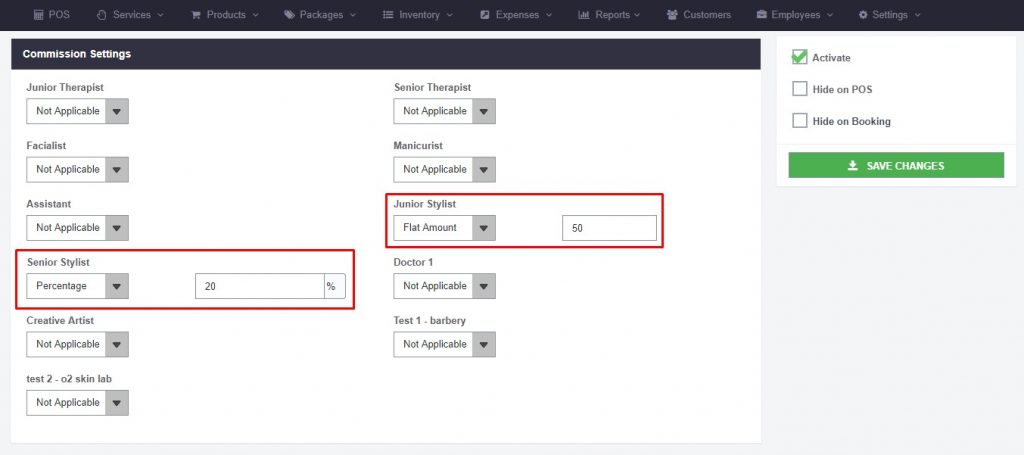
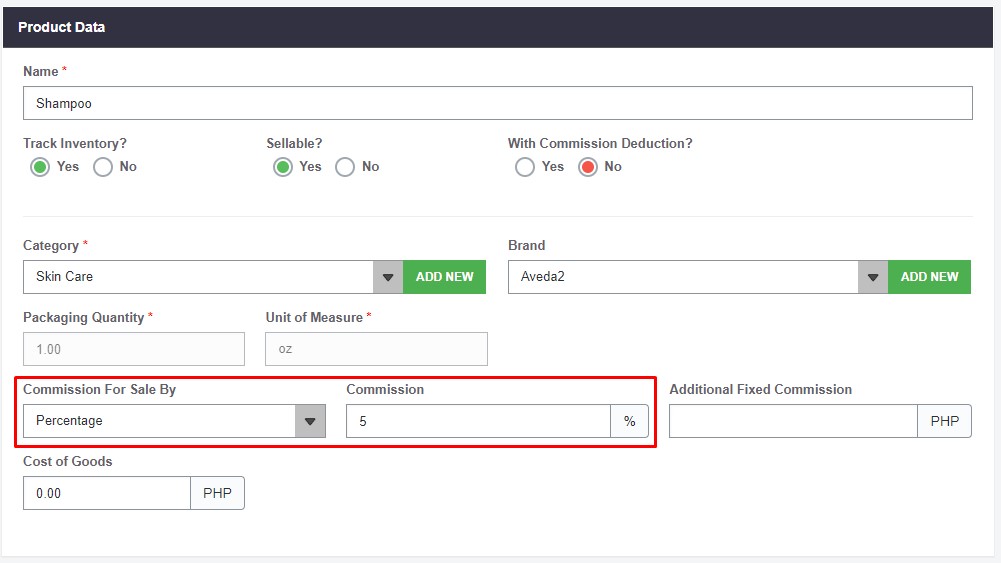
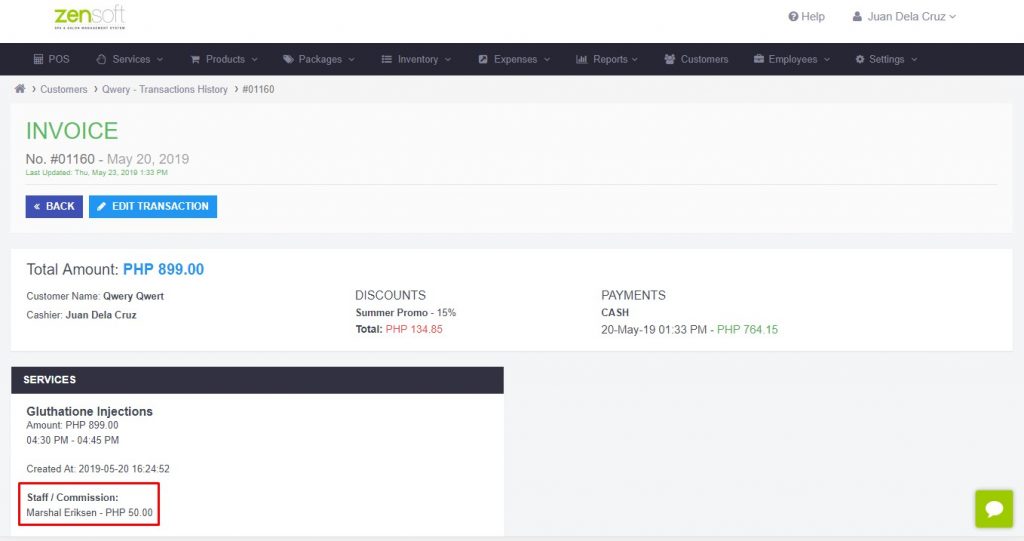
Each transaction wherein a staff is assigned will automatically be credited with the commission that was set on each service and product.
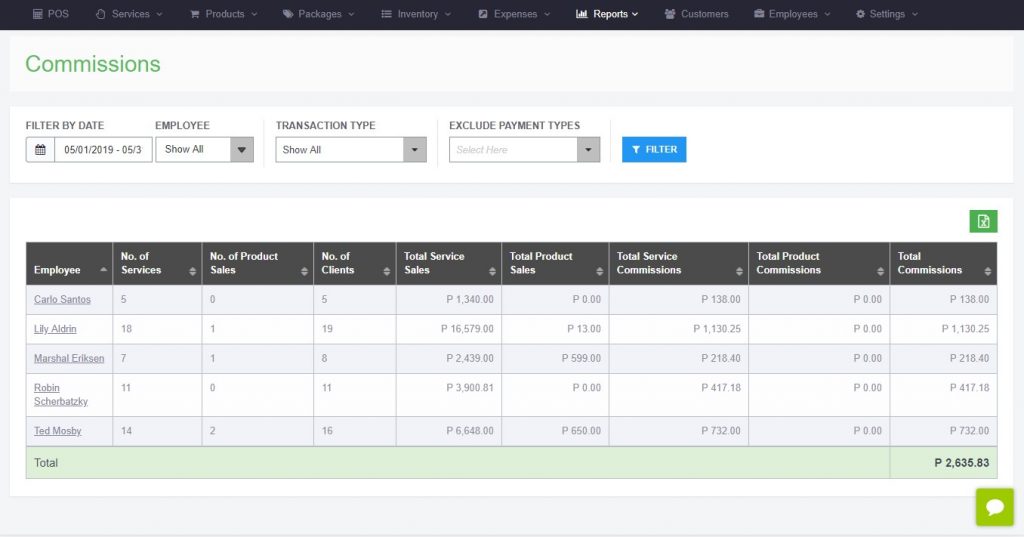
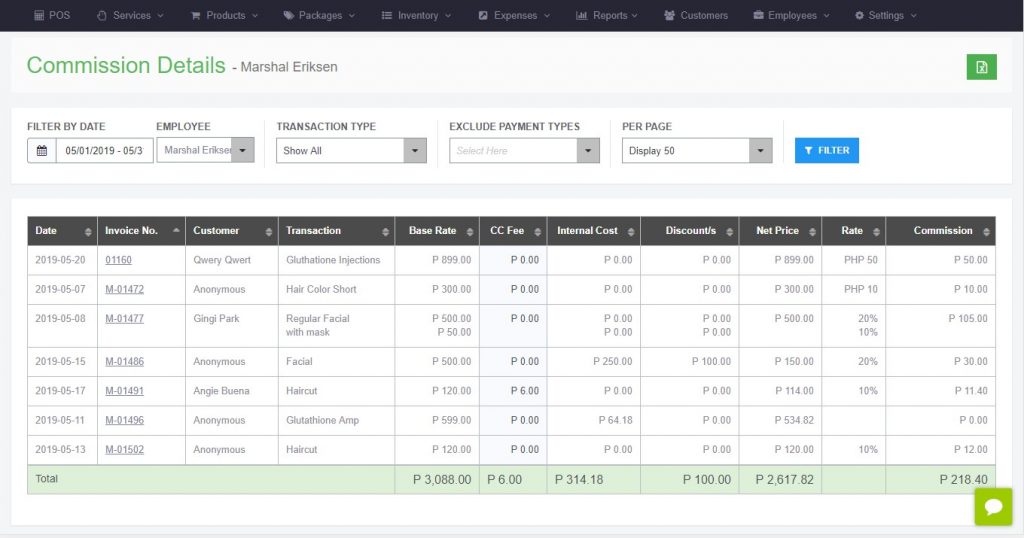
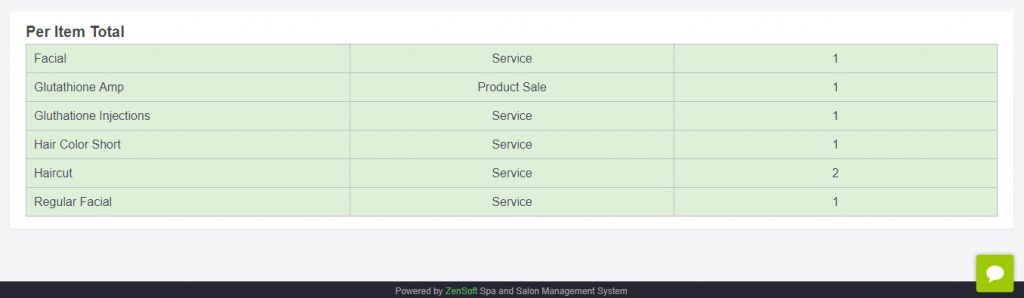
The commission details report also makes it easier for you to see the list of the number of services and product sales that your staff has had in a certain period.
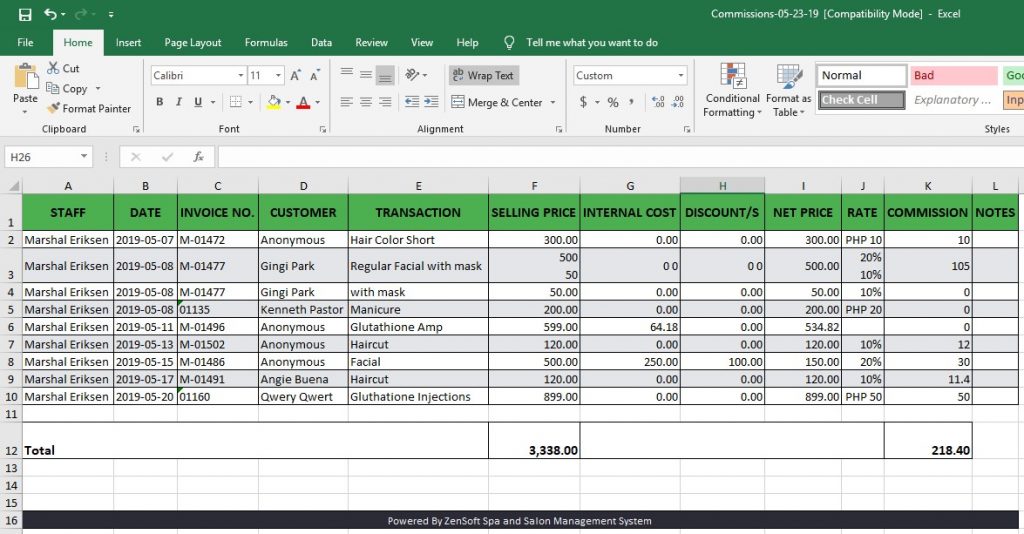
You can even export the this to Microsoft Excel so that you can have an offline copy of your staff’s commissions.
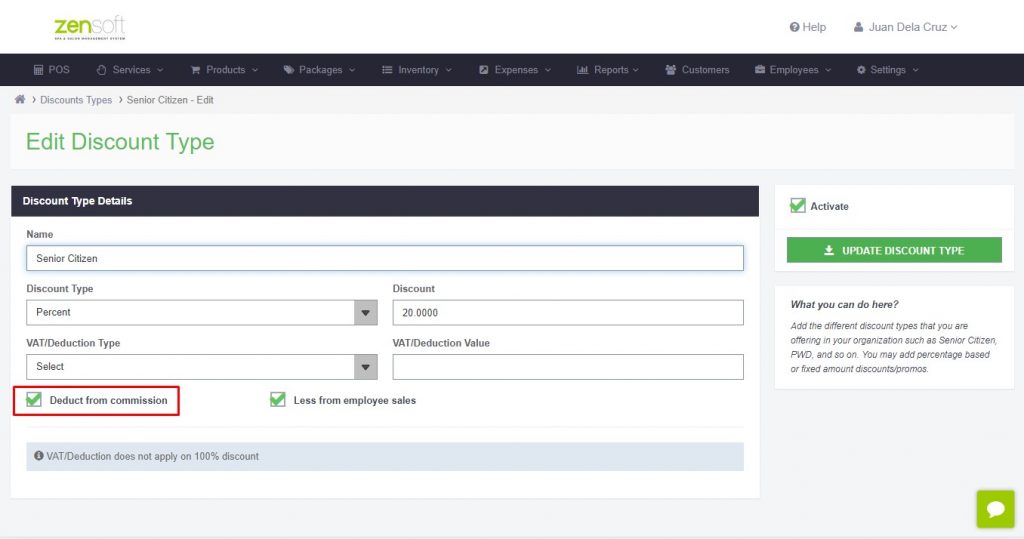
If you have certain conditions in handing out commissions to your staff like discounts or internal costs should be deducted first in the transaction price before computation, we do have settings that can be enabled in the system so that the commissions being credited will be computed accurately.
If you want to set commissions for your employees, services and products, you may get in touch with our Customer Support team who will be happy to help you with the procedures.
You can reach our Customer Support Team through these number:
Globe: 0917-5026507
Smart: 0947-3881877
Landline: 02-2197177
You may also email us at support@zensoft.ph.