

Back to all articles
We are pleased to announce that we have added more enhancements to our Spa & Salon Management System.
New Report
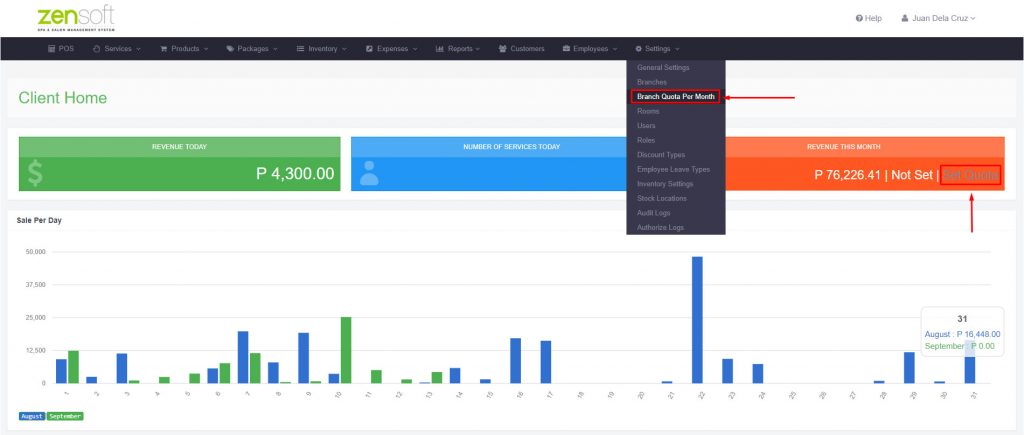
Our system can now track if your branch is hitting or achieving its target sales for the month. You can now set monthly sales quotas for your branch and the system will let you know if your targets have been reached.
Here’s how you can set the quota for your branch:
- Go to Settings > Branch Quota Per Month or click on Set Quota from your dashboard page.
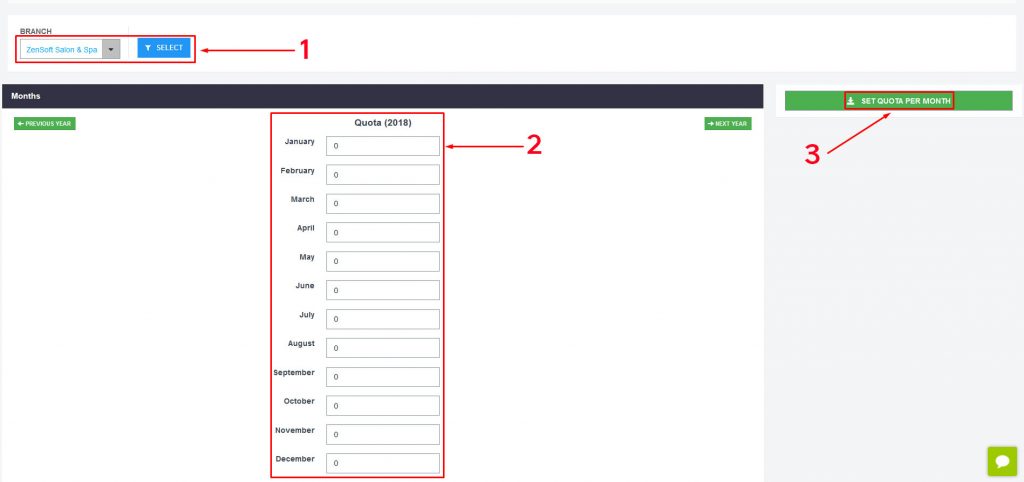
- Click on the SELECT button.
- Enter the quota amount for each month.
- Click on SET QUOTA PER MONTH.
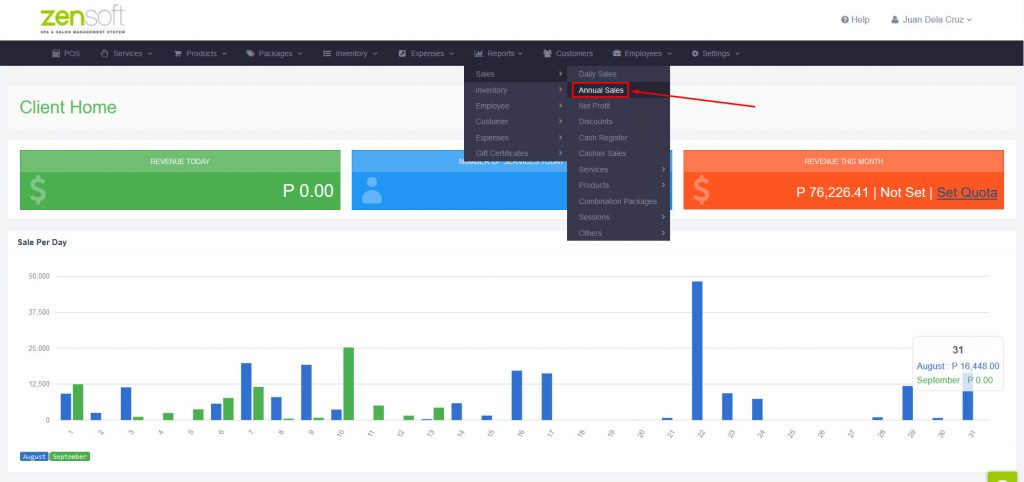
Here’s how to view your monthly sales and quotas:
- Go to Reports > Sales > Annual Sales
This is what it looks like:
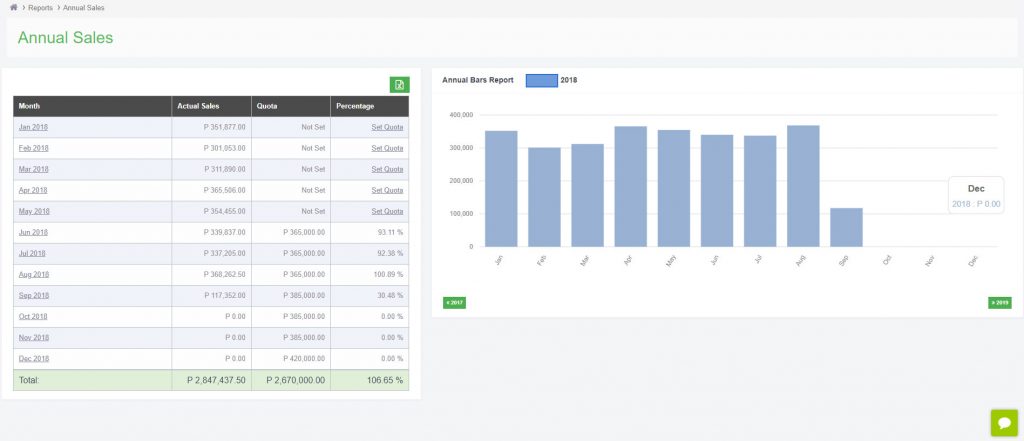
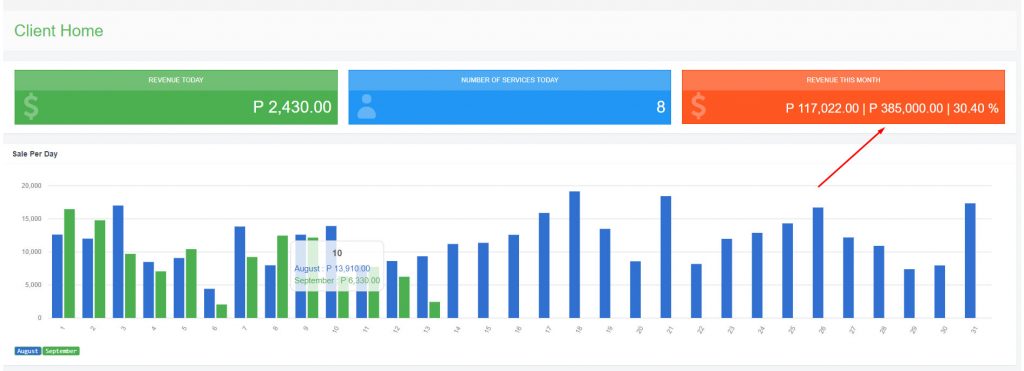
2. You can also view the current month’s sales total and quota from the REVENUE THIS MONTH section from your admin dashboard.
More system updates are coming your way in the next few weeks! Stay tuned! =)